Send Your Name Around the Moon FOR FREE with NASA’s Artemis II! (DAYS LEFT!!!)
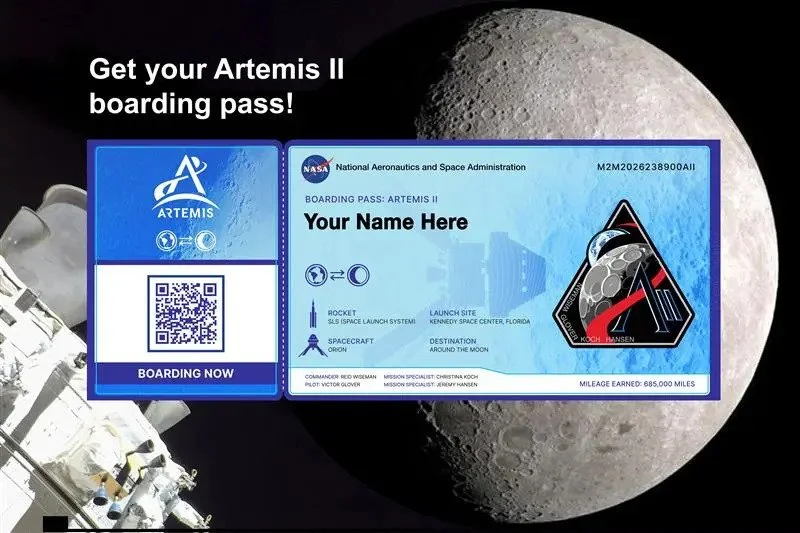
Want to have a piece of your identity travel around the Moon? Do you have a particular someone—a loved one, perchance—who still doesn't know about this but would like to feel more special? Well, look no further because the Artemis II mission by the National Aeronautics and Space Administration (NASA) aims to have that on its mission plans!
The first crewed mission around the Moon and back since 1972 will not only carry four astronauts but also names from people around the world who would like to grab this out-of-this-world opportunity! To top it all off, it is all for free, for anyone around the world who would love to join! In case you missed it, here’s a clear, step-by-step guide to everything you need to know.
Quick details
What will happen? Submitted names are saved digitally (on an SD card) and stowed inside the Orion spacecraft for the Artemis II lunar flyby.
Who can join? Anyone worldwide — no age or nationality restrictions, assuming you have online access.
What will you get? A downloadable personalized “boarding pass” that you can save or share.
Timing? NASA has already opened the signups for Artemis II, and you can already register your name to be on board! The deadline for name submissions is scheduled for January 21, 2026, while the mission is expected to launch at a date No Earlier Than (NET) February 5, 2026, at LC-39B, Kennedy Space Center, Florida.
How to sign-up onboard?
To sign up on board, you need to follow four simple steps that take less than five minutes. Since you are already on this website, we will assume that you already have online access to register.
Step 1: Open the NASA website for registration. Click on the link below so you can access the registration page:
> Launch Your Name Around the Moon in 2026 on NASA’s Artemis II Mission - NASA <
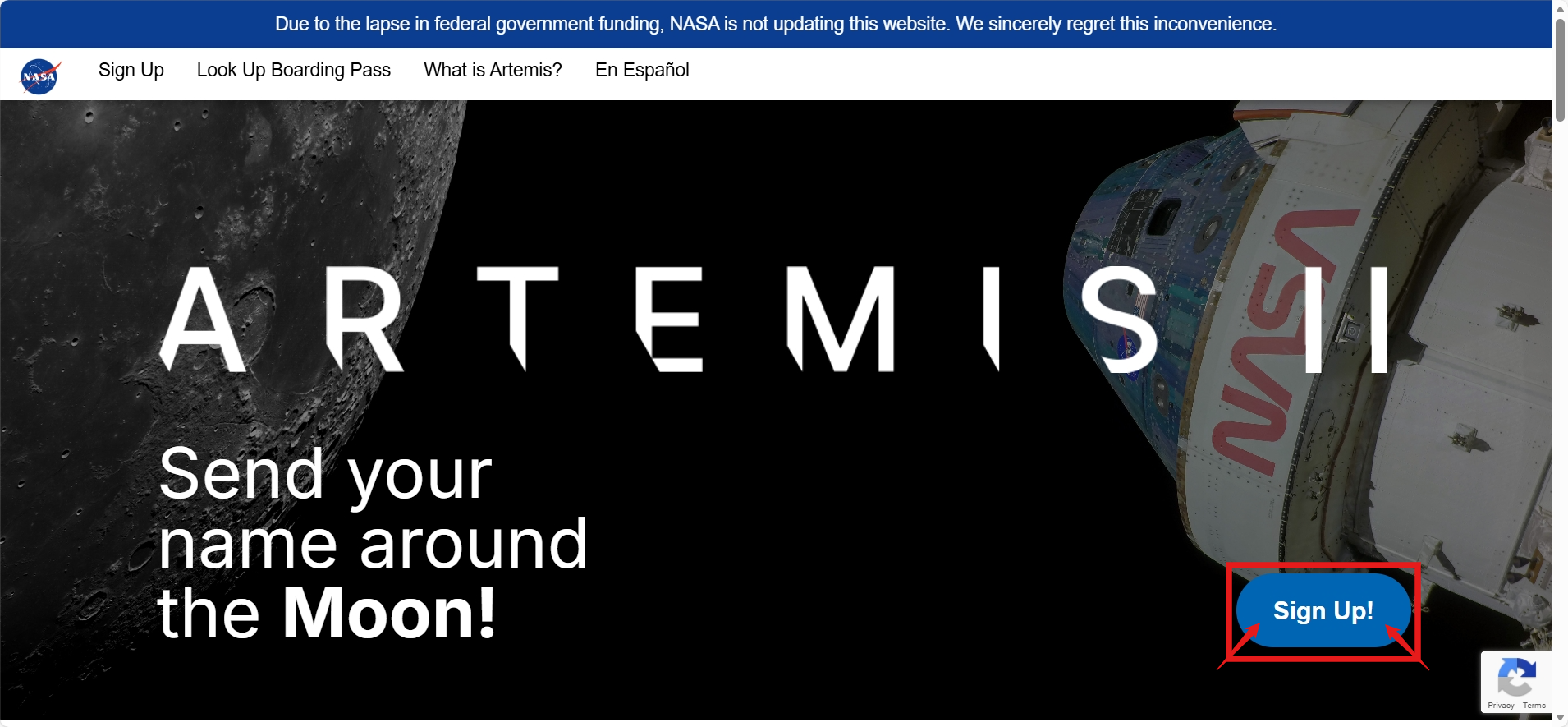
Step 2: Once you are on the website, click the "Sign Up!" button to be redirected to the registration portal.
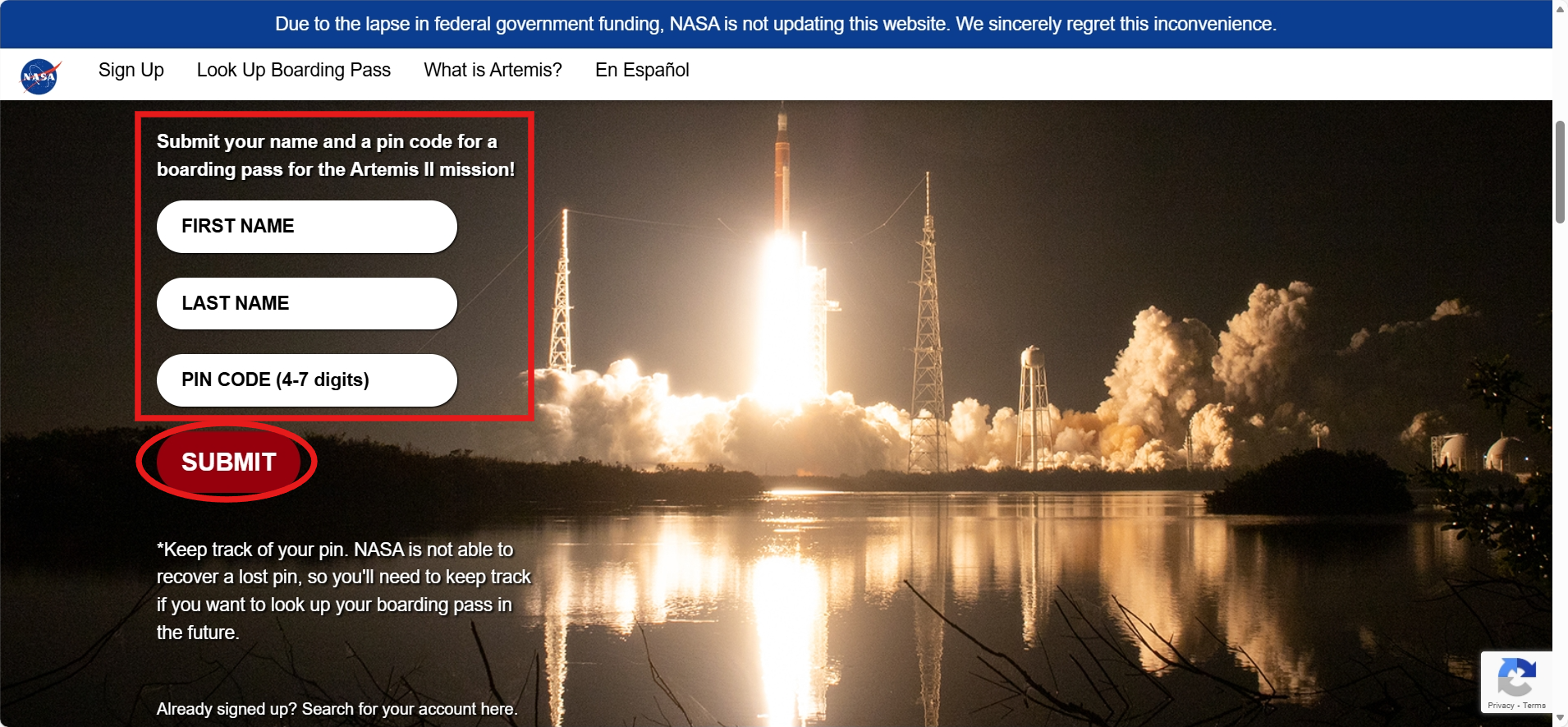
Step 3: After clicking the "Sign Up!" button, you will see this registration portal. Type your desired first and last name within the areas required. After that, you need to make a four to seven-digit PIN code, which can be used to recover your boarding pass once you need another copy later on.
Remember all the details you placed here, in case you need another copy later on. Once you are ready, click submit.
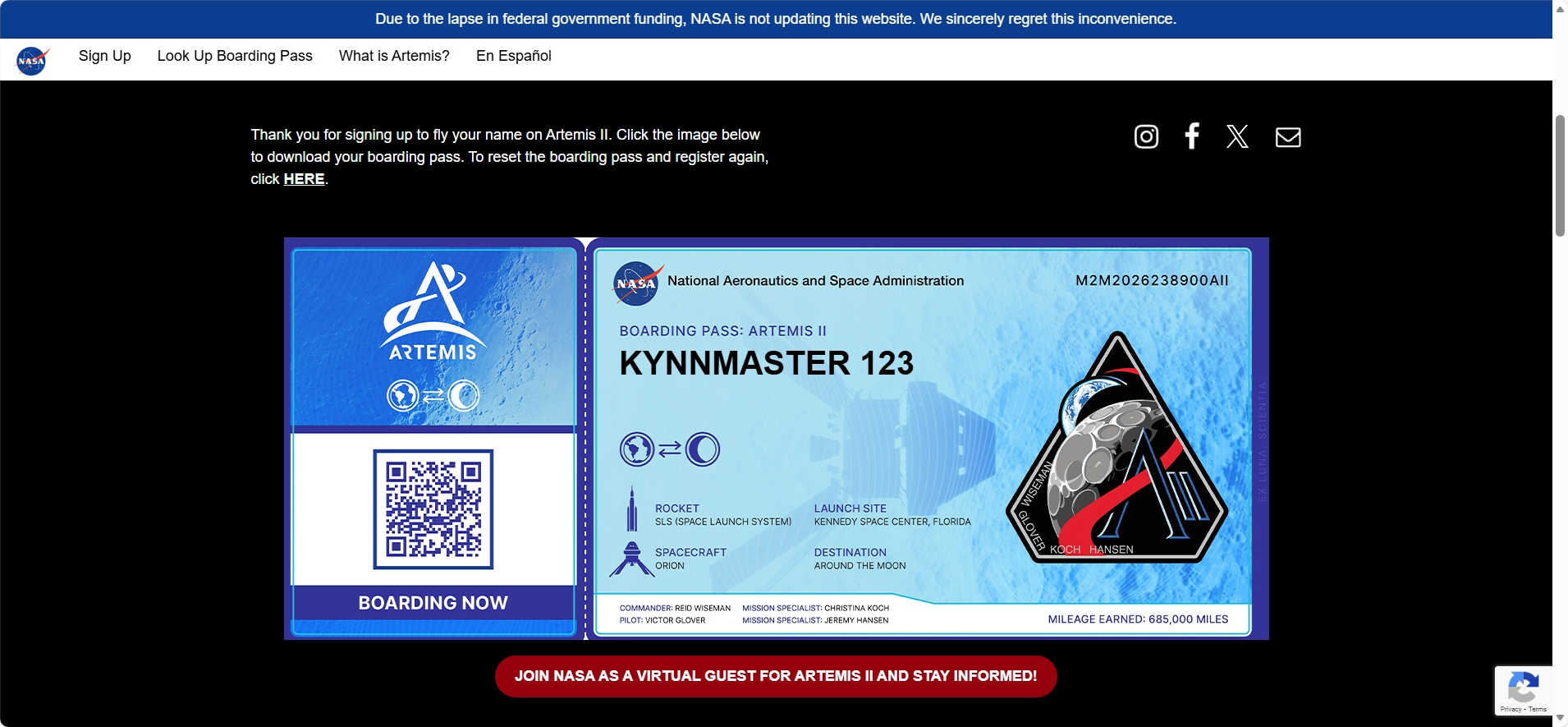
Step 4.1: After waiting, you will then see a copy of your virtual boarding ticket to the Moon. Click on the image to save a copy of your virtual ticket on your device. The file will automatically save to your Gallery/Photos after that.
4.2: If that doesn't work, you can long-press on the image (or mouse click on a desktop), then click "download photo," or anything similar to it.
4.3: (Alternatively, you can capture a screenshot if all else doesn't work. Feel free to crop the image to fit only the virtual boarding ticket.)
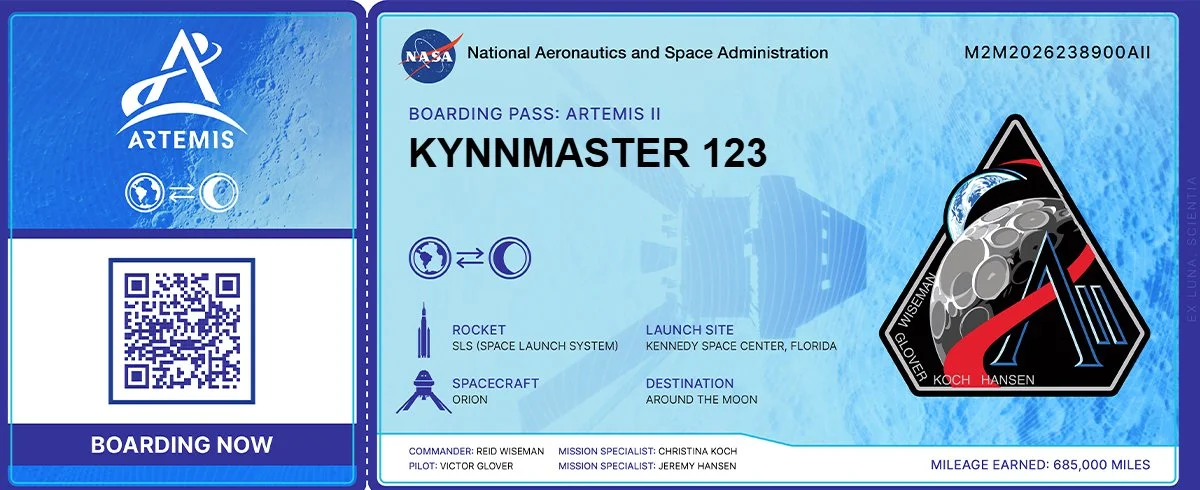
And there you have it! You now have a copy of your virtual boarding ticket, and your name is officially aboard the NASA Artemis II mission! Congratulations on being part of history, around the Moon and back!
Feel free to share an image of your virtual boarding ticket on social media to spread the word!
You may also link this article to help another person out there who doesn't want to miss out on this opportunity.
How do I recover my virtual boarding ticket?
Accidentally lost or deleted your virtual boarding ticket? Using the details you created during registration, you can always recover your virtual boarding ticket by following these steps.
Step 1: Open the NASA website to register or retrieve tickets. Click on the link below so you can access the registration page:
> Launch Your Name Around the Moon in 2026 on NASA’s Artemis II Mission - NASA <
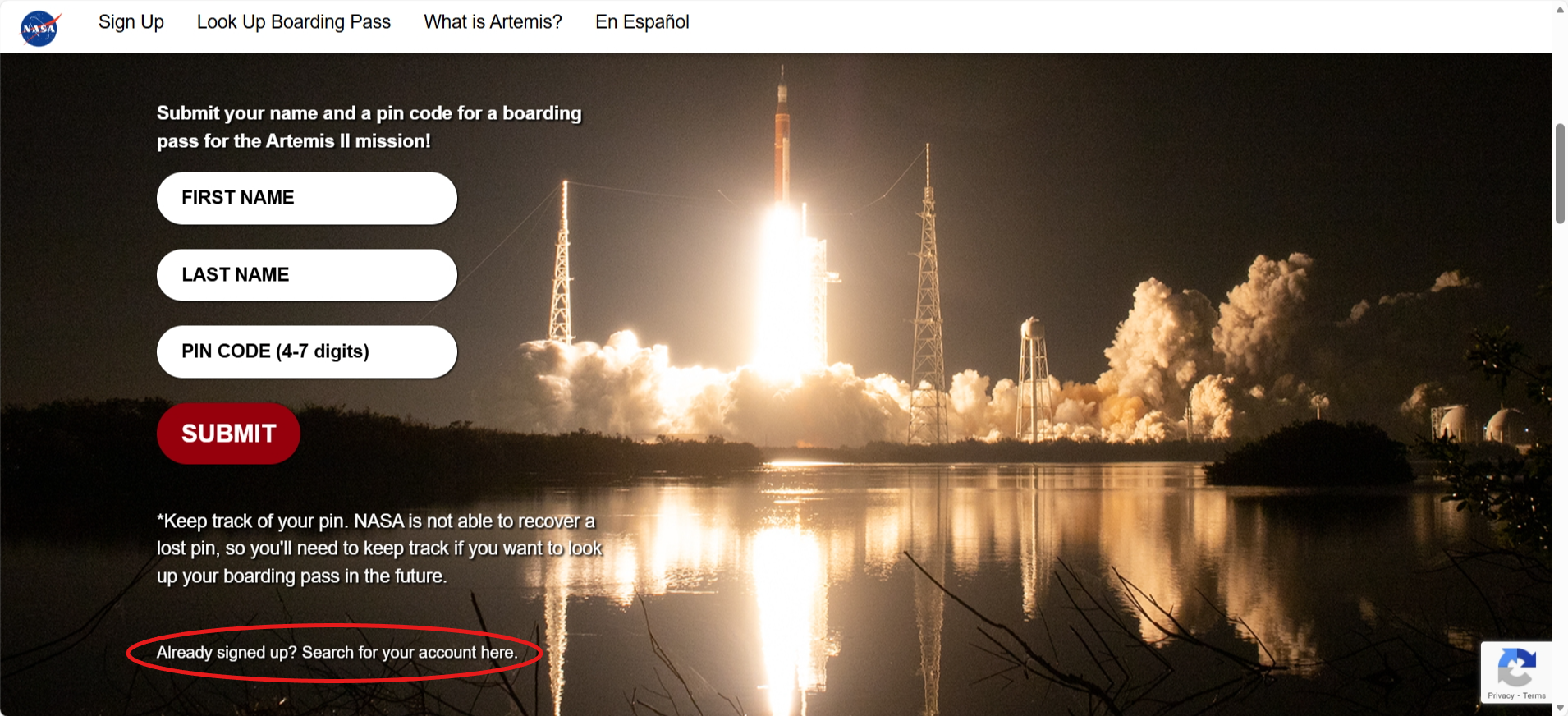
Step 2: Once you are on the website, scroll down and find the encircled text. Once you find the text, you can click it to be redirected to the recovery portal.
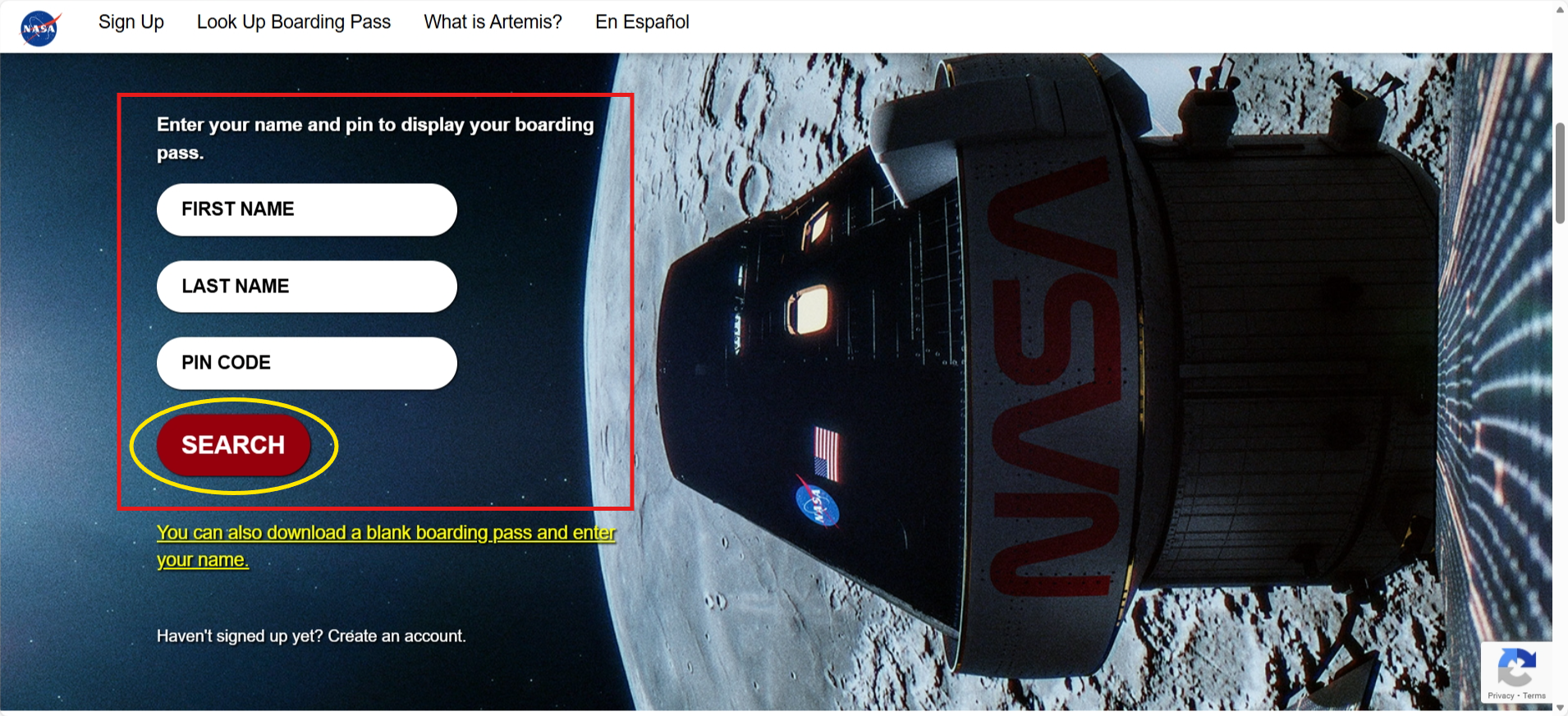
Step 3: After clicking the text, you will see this recovery portal. Type the first and last name you used during registration within the required areas. After that, input your four to seven-digit PIN code
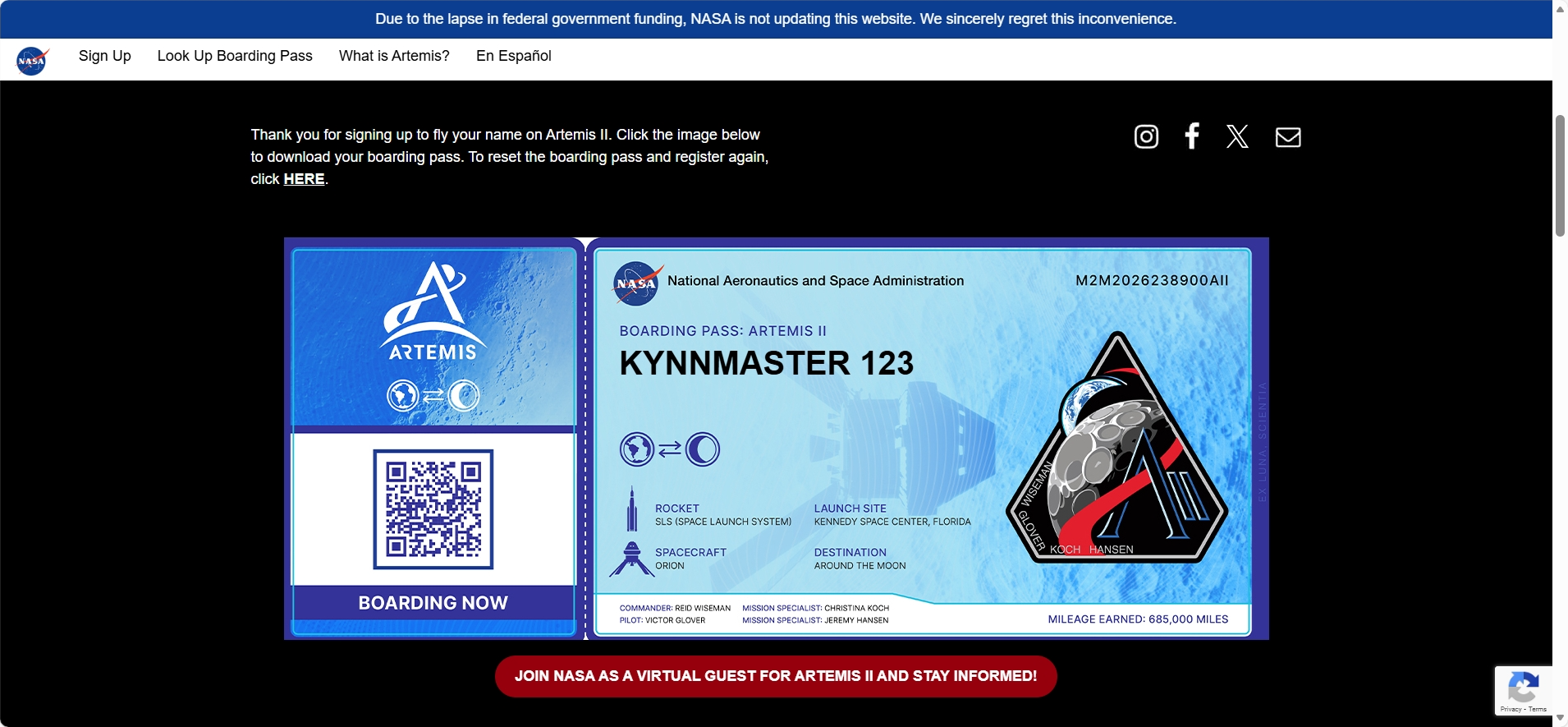
Step 4.1: After waiting, you will then see a copy of your virtual boarding ticket to the Moon. Click on the image to save a copy of your virtual ticket on your device. The file will automatically save to your Gallery/Photos after that.
4.2: If that doesn't work, you can long-press on the image (or mouse click on a desktop), then click "download photo," or anything similar to it.
4.3: (Alternatively, you can capture a screenshot if all else doesn't work. Feel free to crop the image to fit only the virtual boarding ticket.)
And that’s it! Once you finish all of these steps, you can successfully make or recover your own virtual boarding ticket to the Moon! Submitted names are saved digitally (on an SD card) and stowed inside the Orion spacecraft for the Artemis II lunar flyby. Your name is officially part of great history!
If you have any questions, feel free to leave them in the comment section! Thank you so much!
This is KYNNMASTER 123 for The Weekly Spaceman, see you next time! :)